Session (CTRL+0)
Session is a feature for viewing current cashier session information, stopping a session (closing session), and viewing session history that has occurred.
Purpose of Session
The Session feature is used to:
- View active cashier session information.
- Stop the cashier session at the end of operations.
- View active session history and ended sessions.
Accessing the Menu
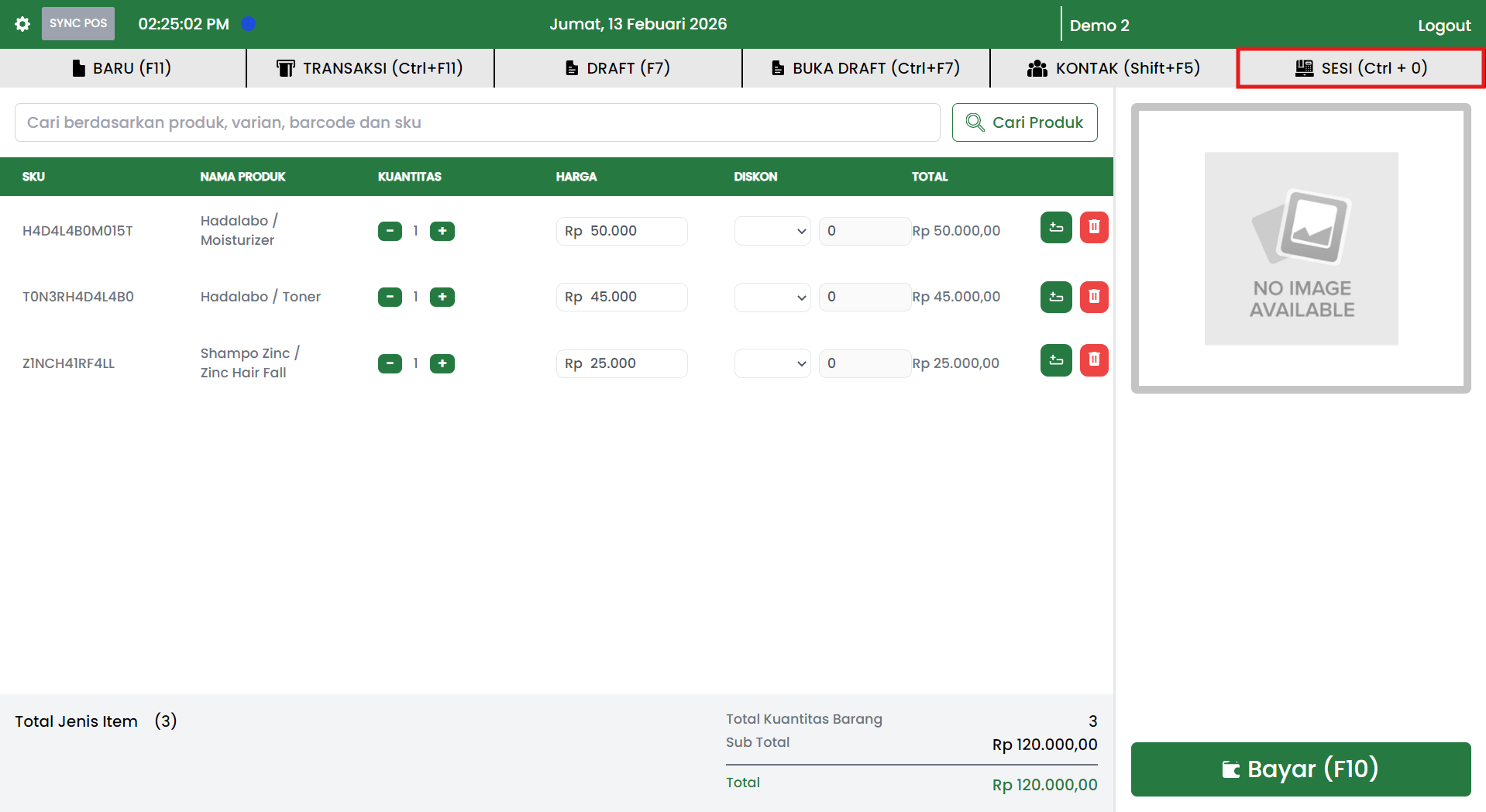
In the POS application, Session can be accessed from the top menu:
- SESSION (Ctrl+0): opens the Session Management popup.
Session Popup Structure
In the Session popup, there are 2 main sections:
- Left panel (Session Management):
- Current session
- Session history
- Right panel: displays details according to the selected menu.
Current Session
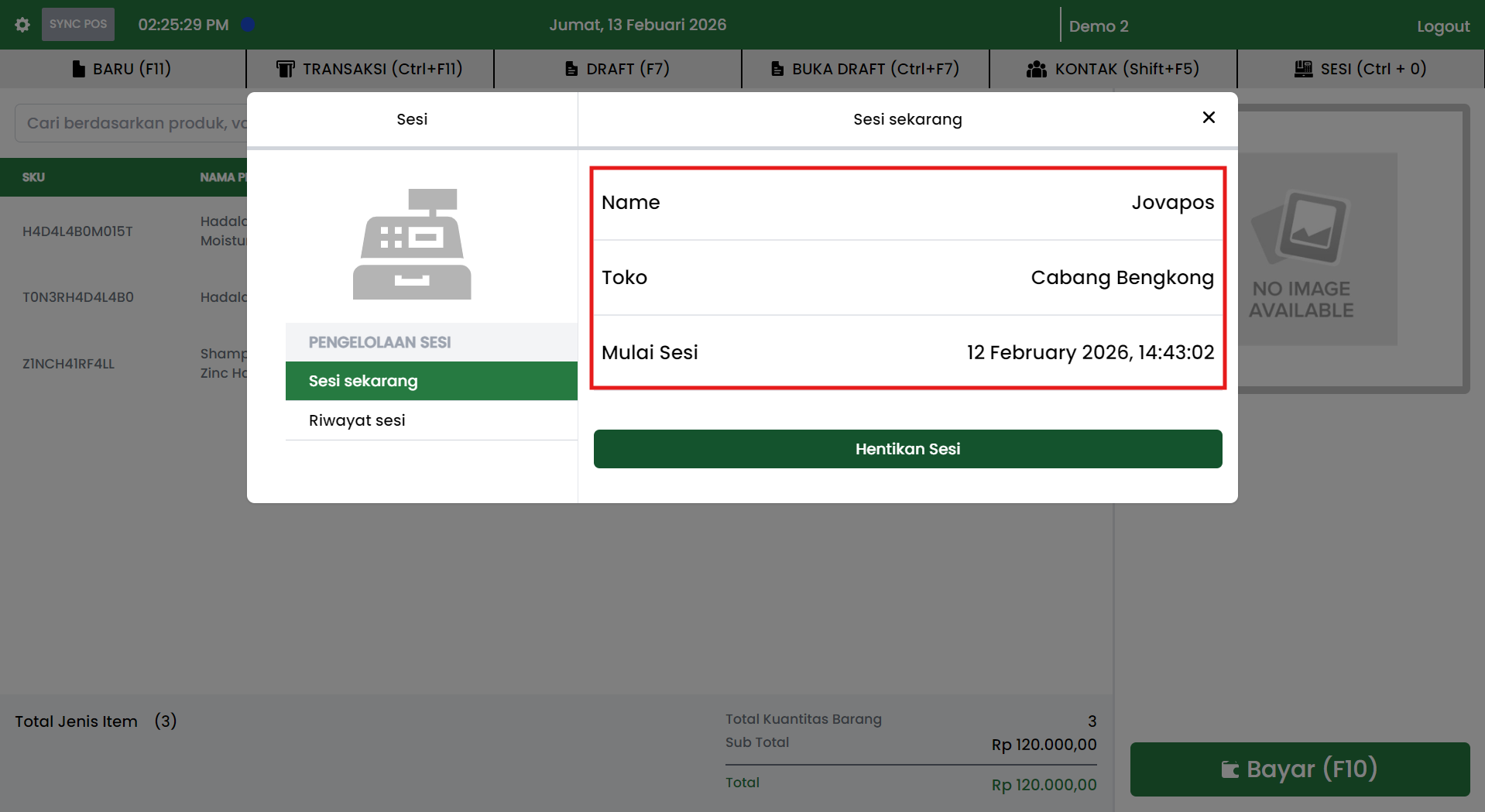
The Current session menu displays information about the running cashier session, such as:
- Name (account name or POS user)
- Store (store branch)
- Session Start (session start date and time)
Stopping a Session (Close Session)
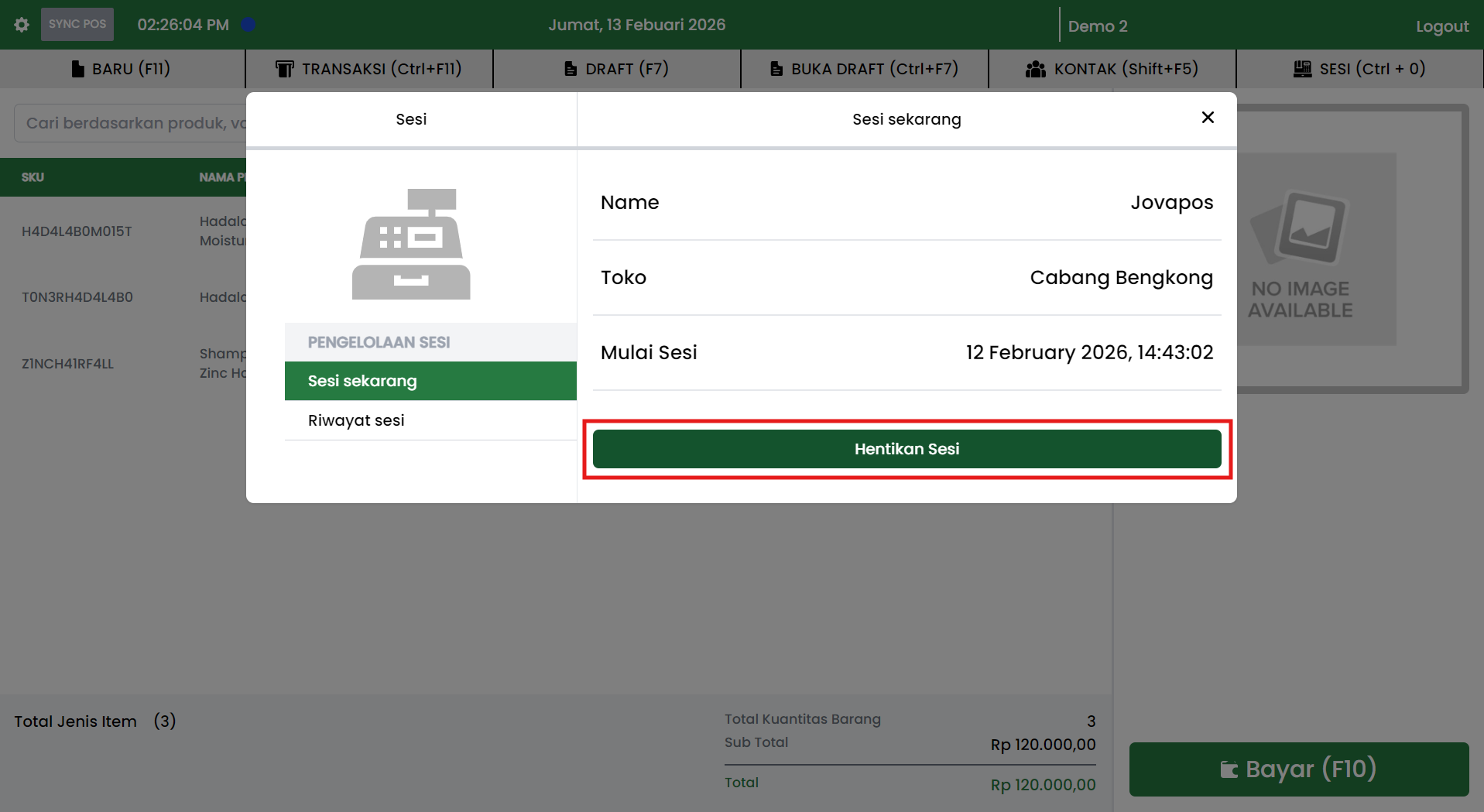
If operations are complete, the session can be stopped via the Stop Session button.
General flow:
- Open the SESSION (Ctrl+0) menu.
- Select Current session.
- Review the session information (Name, Store, Session Start).
- Click the Stop Session button.
Note:
- After the session is stopped, session data will be recorded in Session history.
- Make sure all transactions are complete before stopping the session.
Session History
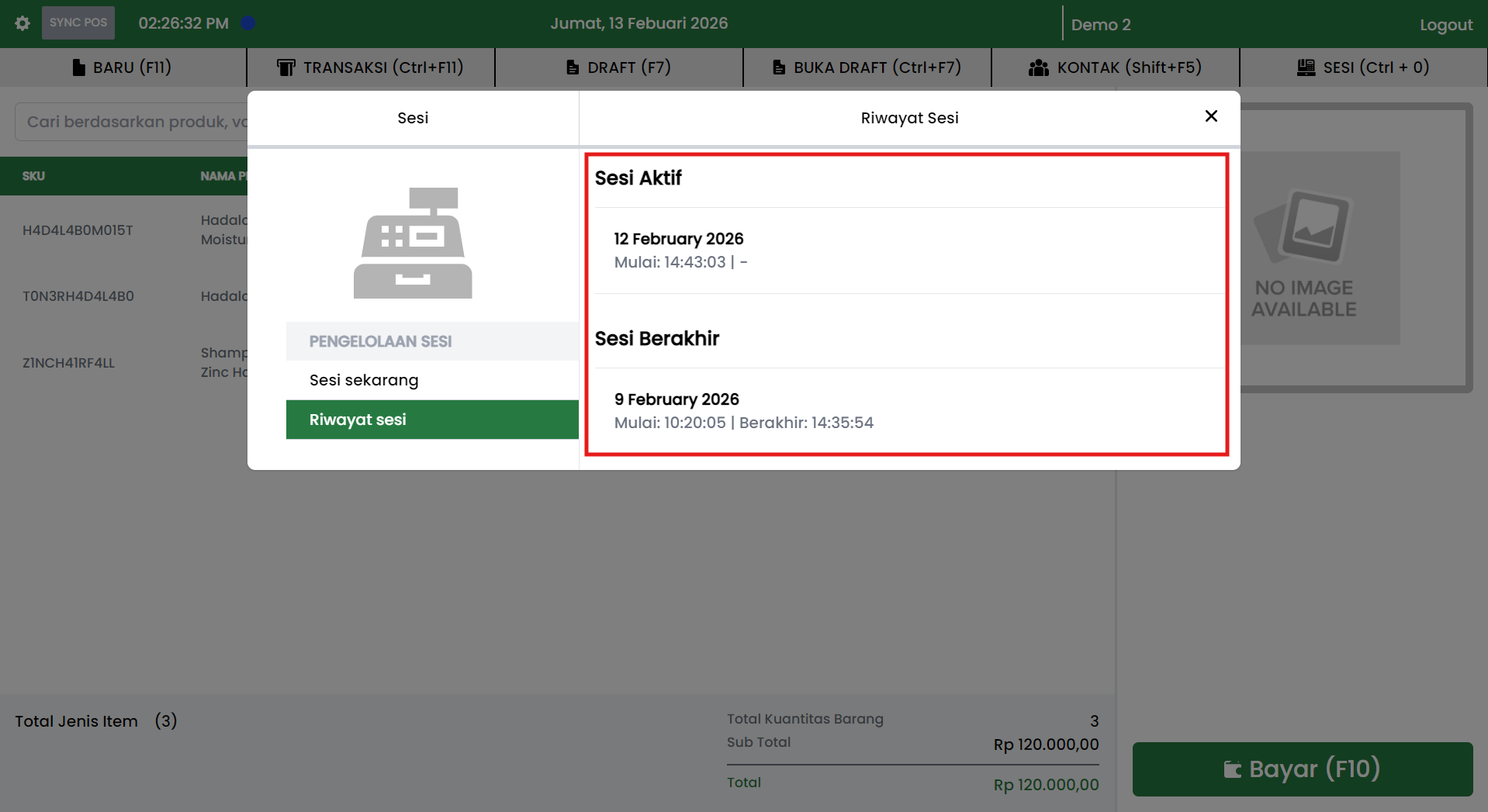
The Session history menu displays a summary of sessions that have occurred, usually divided into:
- Active Sessions
- Displays ongoing sessions (start date and time).
- Ended Sessions
- Displays completed sessions (date, start time, and end time).
Recommended Operational Practices
- Stop the session every shift end to keep history organized and audit trail clear.
- Verify transactions are saved before closing the session.
- Use session history to check operating hours and internal control.